How to disable data storage for an entire journey in Quickwork?

I want to disable data storage for an entire journey to prevent data from being stored. Is there a way to do this at the journey level?
0
-

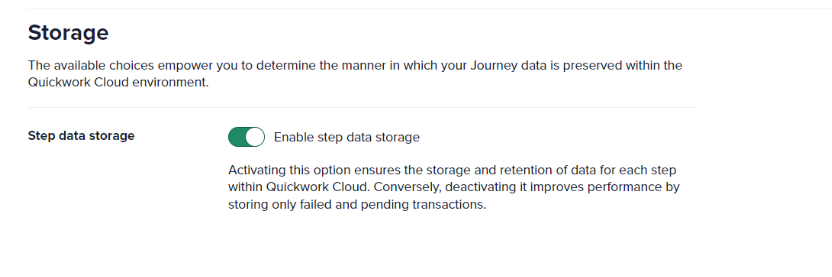
Yes, you can use the "Step data storage" feature to disable data storage across the entire journey. This feature enhances performance and ensures no data is stored, eliminating the need to enable data masking at individual steps. Note that you won’t be able to access history data after disabling storage. The feature can be accessed in the Settings tab of the journey.
 0
0
Please sign in to leave a comment.
Comments
1 comment